Both are close for students; use ecosystem, live price, and configuration as the tiebreakers.
XPS 13 Plus 85 / OmniBook Ultra Flip 14 85 - based on battery, performance, display, and weightXPS 13 Plus vs OmniBook Ultra Flip 14
Compare XPS 13 Plus and OmniBook Ultra Flip 14 by price, specs, scores, and buying fit.
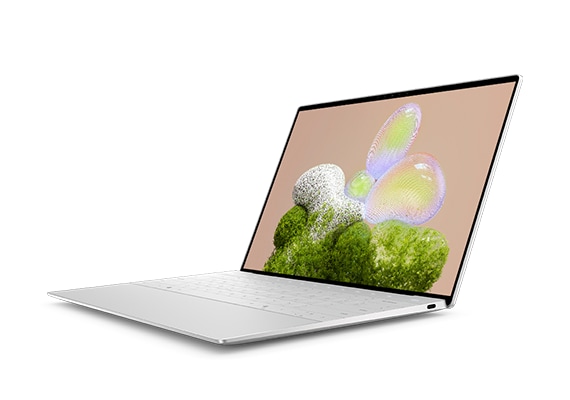
XPS 13 Plus
$1,299 - Score 85
performance
display
battery
value
Check XPS 13 Plus on Amazon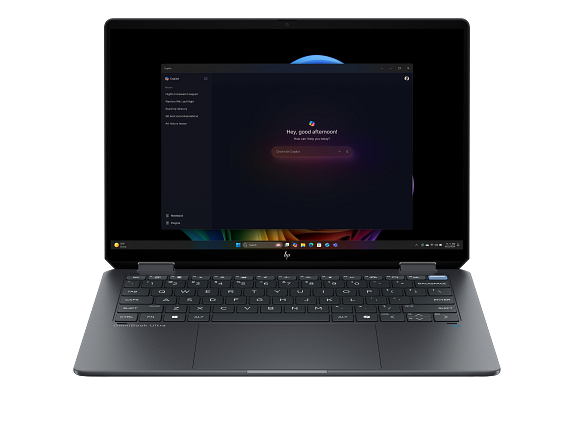
OmniBook Ultra Flip 14
$1,299 - Score 85
performance
display
battery
value
Check OmniBook Ultra Flip 14 on AmazonQuick buying take
The overall score is tied, so the score bars need to be read by dimension. The reference price is the same, so live merchant discounts and exact configuration matter more. Use this comparison to decide whether the stronger dimensions, feature set, ecosystem, or merchant listing fit is worth the current price.
Before buying, compare display, performance, battery, and value and confirm the final configuration on the merchant page.
If the score is tied, choose based on ecosystem, exact specs, current discount, and return policy. Because the reference price is tied, do not leave without checking both merchant paths.
- Performance fit: compare the score bars first when you care about speed, camera quality, display quality, or noise canceling.
- Budget fit: use the listed reference price as a starting point, then verify the current merchant price, taxes, delivery time, and available configuration.
- Alternative fit: open each product page if neither option is clearly right; the alternatives pages keep the shortlist inside the same product category.
Decision summary
Overall scoreTie
The overall score is tied at 85, so this comparison should be decided by use case, ecosystem, and live listing details rather than the headline score.
Reference priceSame price
Both products use the same $1,299 reference price here, so current merchant discounts, storage tiers, color availability, and return terms become the price tiebreakers.
Best next stepCheck the use case rows
Do not choose from the product name alone. Match the strongest dimensions to how you will actually use the product.
Score-by-score comparison
| Dimension | XPS 13 Plus | OmniBook Ultra Flip 14 | Lead | How to read it |
|---|---|---|---|---|
| performance | 86 | 84 | XPS 13 Plus | XPS 13 Plus leads performance by 2 points. |
| display | 94 | 94 | Tie | This dimension is effectively tied; use price, ecosystem, and exact specs to decide. |
| battery | 78 | 83 | OmniBook Ultra Flip 14 | OmniBook Ultra Flip 14 leads battery by 5 points. |
| value | 80 | 78 | XPS 13 Plus | XPS 13 Plus leads value by 2 points. |
Which one fits your use case?
XPS 13 Plus is the better first check for work based on performance, display, memory, and storage.
XPS 13 Plus 87 / OmniBook Ultra Flip 14 85 - based on performance, display, memory, and storageBoth are close for travel; use ecosystem, live price, and configuration as the tiebreakers.
XPS 13 Plus 85 / OmniBook Ultra Flip 14 85 - based on battery, weight, display, and performanceReal-world tradeoffs
This table turns the spec sheet into shopping decisions. It is meant to answer what changes in daily use, not just which column has the bigger number. This is a close comparison, so the final decision should come from ecosystem, exact configuration, and live merchant price.
| Decision factor | XPS 13 Plus | OmniBook Ultra Flip 14 | First check | Why it matters |
|---|---|---|---|---|
| price | $1,299 | $1,299 | Tie | Reference pricing is tied; compare live merchant price, storage tier, and return terms. |
| release | 2025-08-18 | 2025-01-06 | XPS 13 Plus | XPS 13 Plus is the newer listing, which can matter for support window, trade-in value, and discount timing. |
| display | 13.4-inch OLED | 14-inch OLED touchscreen | OmniBook Ultra Flip 14 | OmniBook Ultra Flip 14 gives you the larger display class; smaller models can still be better for one-hand use. |
| chip | Intel Core Ultra 7 | Intel Core Ultra | XPS 13 Plus | XPS 13 Plus is the stronger performance first-check based on score and chip class. |
| memory | 16GB | 16GB | Tie | Listed memory is similar; storage, software, and price become the practical checks. |
| storage | 512GB SSD | 512GB SSD | Tie | Storage is similar; check whether the merchant page sells the same base tier. |
| gpu | Integrated Arc | Integrated Arc | Tie | Use this row as a spec check before opening merchant pages. |
| battery | 55Wh | Long battery life | Tie | Battery is close or not listed in the same unit; compare size, chip efficiency, and your usage pattern. |
| weight | 2.8 lb | Approx. 3 lb | XPS 13 Plus | XPS 13 Plus is the lighter option, which matters for pocket comfort and long one-hand sessions. |
| os | Windows | Windows | Tie | Use this row as a spec check before opening merchant pages. |
| Spec | XPS 13 Plus | OmniBook Ultra Flip 14 |
|---|---|---|
| Price | $1,299 | $1,299 |
| display | 13.4-inch OLED | 14-inch OLED touchscreen |
| chip | Intel Core Ultra 7 | Intel Core Ultra |
| memory | 16GB | 16GB |
| storage | 512GB SSD | 512GB SSD |
| gpu | Integrated Arc | Integrated Arc |
| battery | 55Wh | Long battery life |
| weight | 2.8 lb | Approx. 3 lb |
| os | Windows | Windows |
Quick answers
Which is better, XPS 13 Plus or OmniBook Ultra Flip 14?
XPS 13 Plus and OmniBook Ultra Flip 14 are tied at a 85 SpecScout score, so the better pick depends on operating system, key specs, current merchant price, and configuration.
Which one is cheaper?
Both products use the same $1,299 reference price here. Merchant discounts can still make one cheaper at checkout, so confirm live pricing before buying.
What should I compare first?
Start with display, performance, battery, and value, then check storage, color, availability, and delivery terms on the merchant page.
Related buyer searches
XPS 13 Plus vs OmniBook Ultra Flip 14XPS 13 Plus or OmniBook Ultra Flip 14XPS 13 Plus OmniBook Ultra Flip 14 specsXPS 13 Plus OmniBook Ultra Flip 14 priceXPS 13 Plus alternativesOmniBook Ultra Flip 14 alternativesbest laptops comparisonDell vs HP laptops