Buying fit guide
Is Studio Display good for gaming?

Shortlist it for gaming if you need smooth motion, low latency, resolution, and adaptive sync support.
Check Studio Display on AmazonCheck Best BuyCheck WalmartQuick fit verdict
Studio Display is worth considering for gaming when the live price stays close to $1,599 and the current listing matches the expected configuration.
For this use case, check refresh rate, response time, resolution, and sync before leaving SpecScout. A high overall score is useful, but the merchant page still decides stock, seller, condition, return policy, and final checkout price.
Specs that matter for gaming
- refresh rate: Refresh rate changes how smooth motion feels in games, scrolling, and fast desktop work. This listing shows 60Hz. High refresh is worth prioritizing for gaming; for office work, color, resolution, and ergonomics usually matter more.
- response time: Response time matters most for fast games and motion clarity. It is less important for reading, office work, coding, video calls, or general browsing.
- resolution: This display detail matters for gaming because it changes clarity, workspace, and viewing comfort. This listing shows 5120 x 2880. Compare it with price and desk or carry constraints.
- sync: Adaptive sync matters when you game and want smoother frame pacing with fewer tears or stutters. Skip it as a priority if this display is mainly for productivity or media.
Price-check checklist
Use the reference price as a filter, not a promise. Before leaving SpecScout, confirm whether the merchant page matches the model, configuration, color, warranty terms, seller, delivery window, and return policy you expect.
- Model match: verify the merchant listing is for Studio Display, not a similar older or renewed variant.
- Configuration: check storage, memory, color, chip, size, or bundle details before checkout.
- Total cost: compare item price, shipping, taxes, discounts, and delivery date.
- Fallback: keep the alternatives page open if price or stock changes after you click out.
Before you buy
If the price, stock, or configuration does not look right, compare alternatives first. This is the fastest way to avoid clicking into a weak merchant listing or paying above the reference tier.
Core specs to verify
| display | 27-inch 5K Retina |
|---|---|
| resolution | 5120 x 2880 |
| refreshRate | 60Hz |
| connectivity | Thunderbolt 3, USB-C |
| color | P3 wide color |
| camera | 12MP Ultra Wide |
| speakers | Six-speaker system |
| stand | Tilt-adjustable stand |
Alternatives for the same use case
Check these nearby monitors if Studio Display is out of stock, overpriced, or missing the configuration you need for gaming.
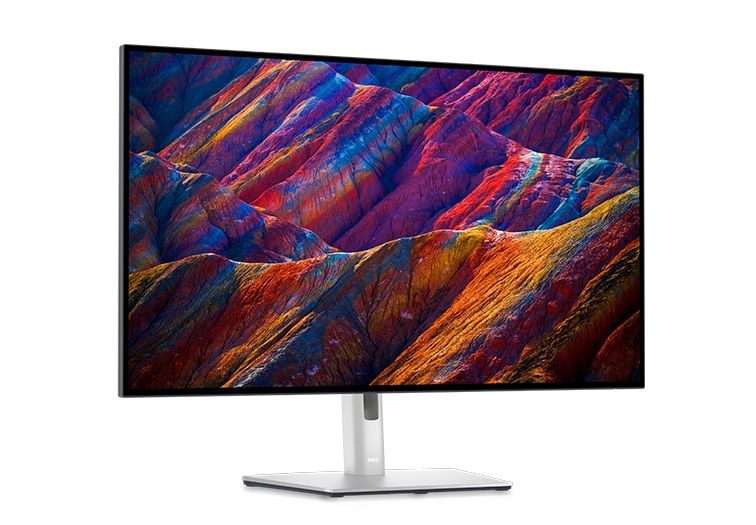

Compare Studio Display before buying
Quick answers
Is Studio Display good for gaming?
Studio Display is a reasonable gaming shortlist pick if the live price stays near $1,599 and the merchant listing matches the expected configuration. Focus first on refresh rate, response time, resolution, and sync.
What should I check before buying Studio Display for gaming?
Check refresh rate, response time, resolution, and sync, then confirm seller, condition, delivery date, return policy, warranty, and final checkout price on the merchant page.
What if Studio Display is too expensive for gaming?
Use the alternatives and comparison pages before checkout. A nearby product may fit the same use case better if the live price changes or the right configuration is unavailable.